01
Define the range
Choose the ORB window, session, ticker, and range-size rules before interpreting the move.
Define the setup, keep every rule visible, compare certified historical sessions, and turn the result into a structured trade plan—all in one workspace.
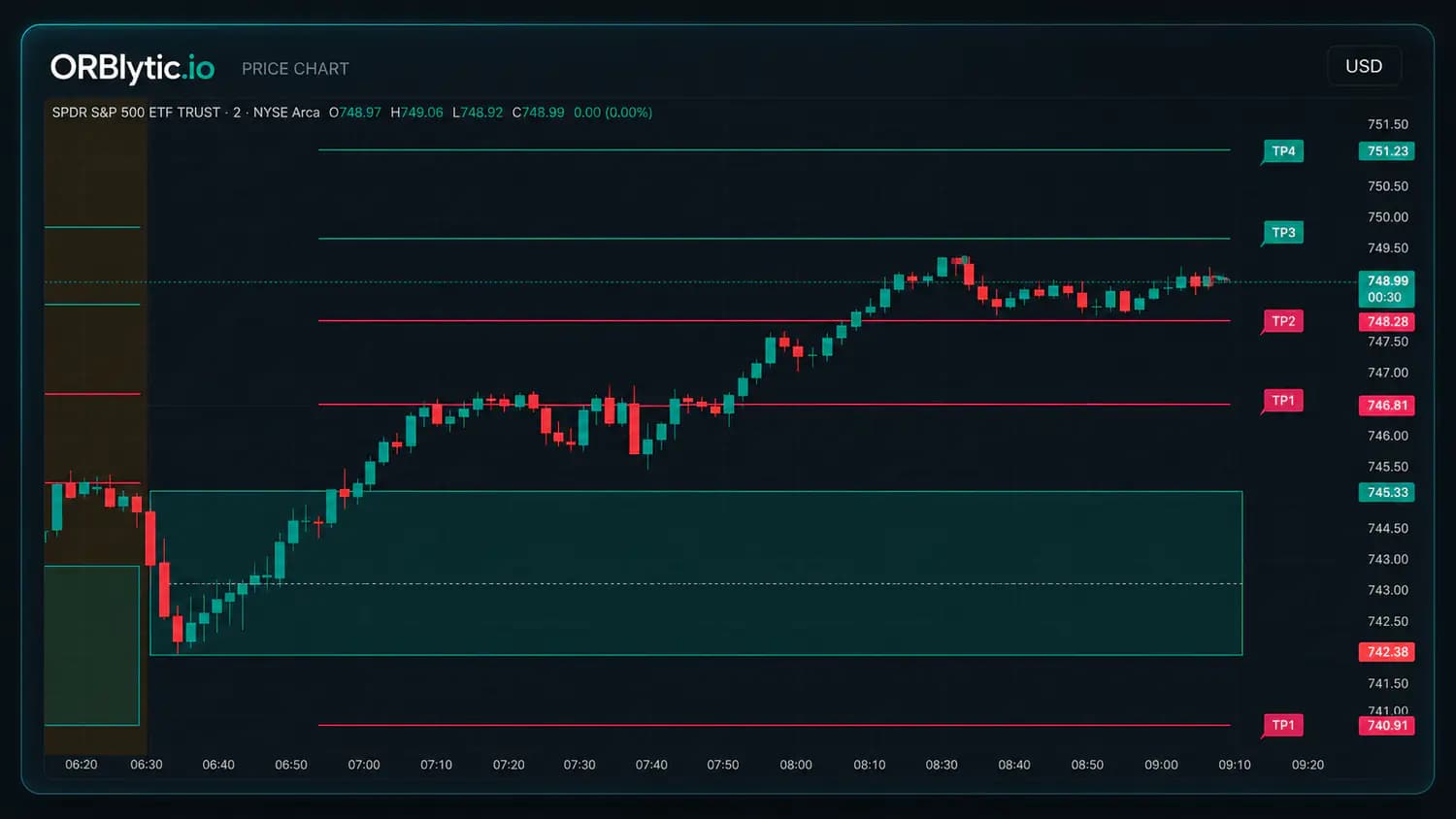
Instead of moving between disconnected calculators and screenshots, keep the setup definition attached to the history and plan it produced.
Choose the ORB window, session, ticker, and range-size rules before interpreting the move.
Apply the selected candle-close, retest, entry-time, and invalidation requirements consistently.
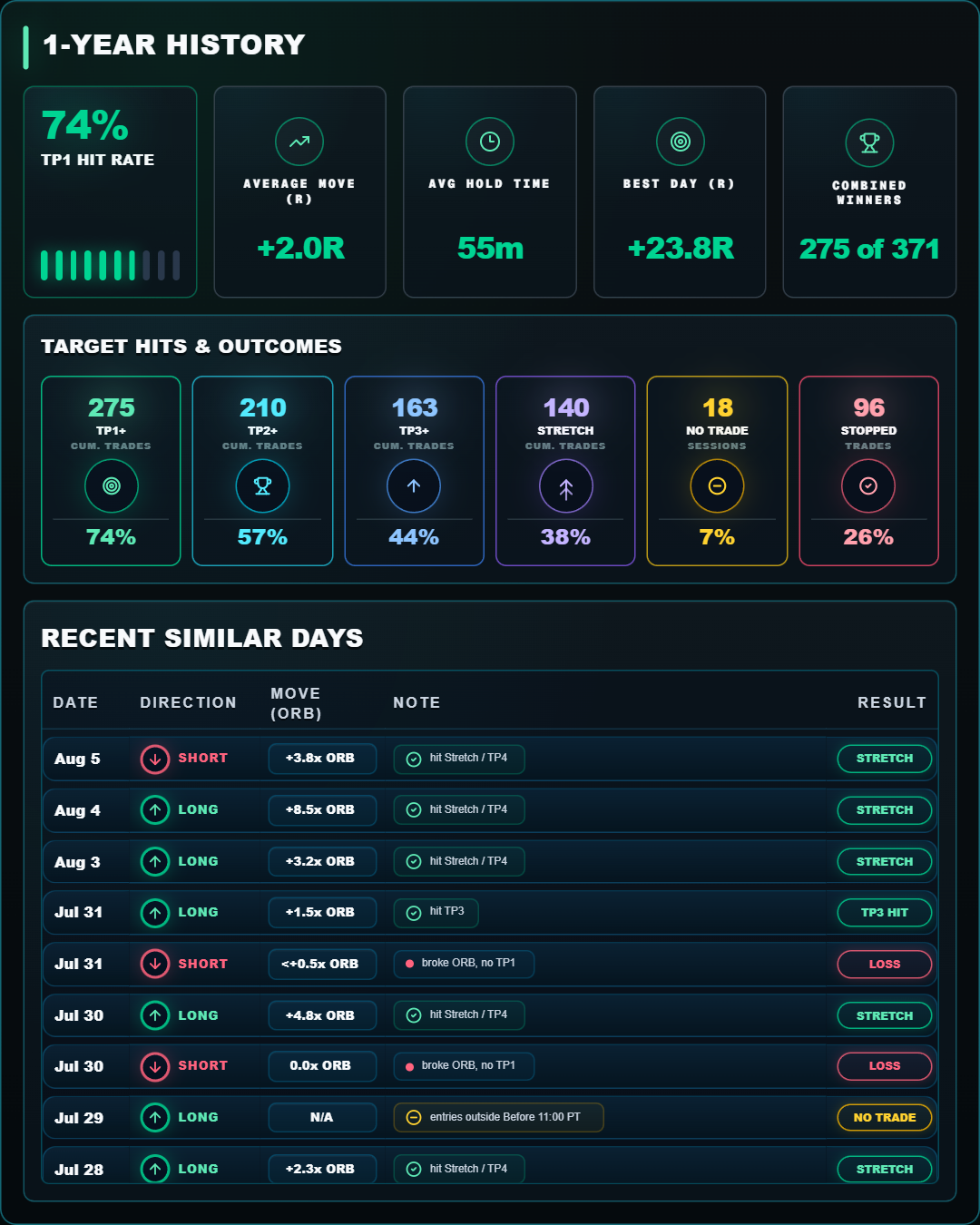
Review certified matched sessions, target hit rates, outcomes, and the full sample denominator.
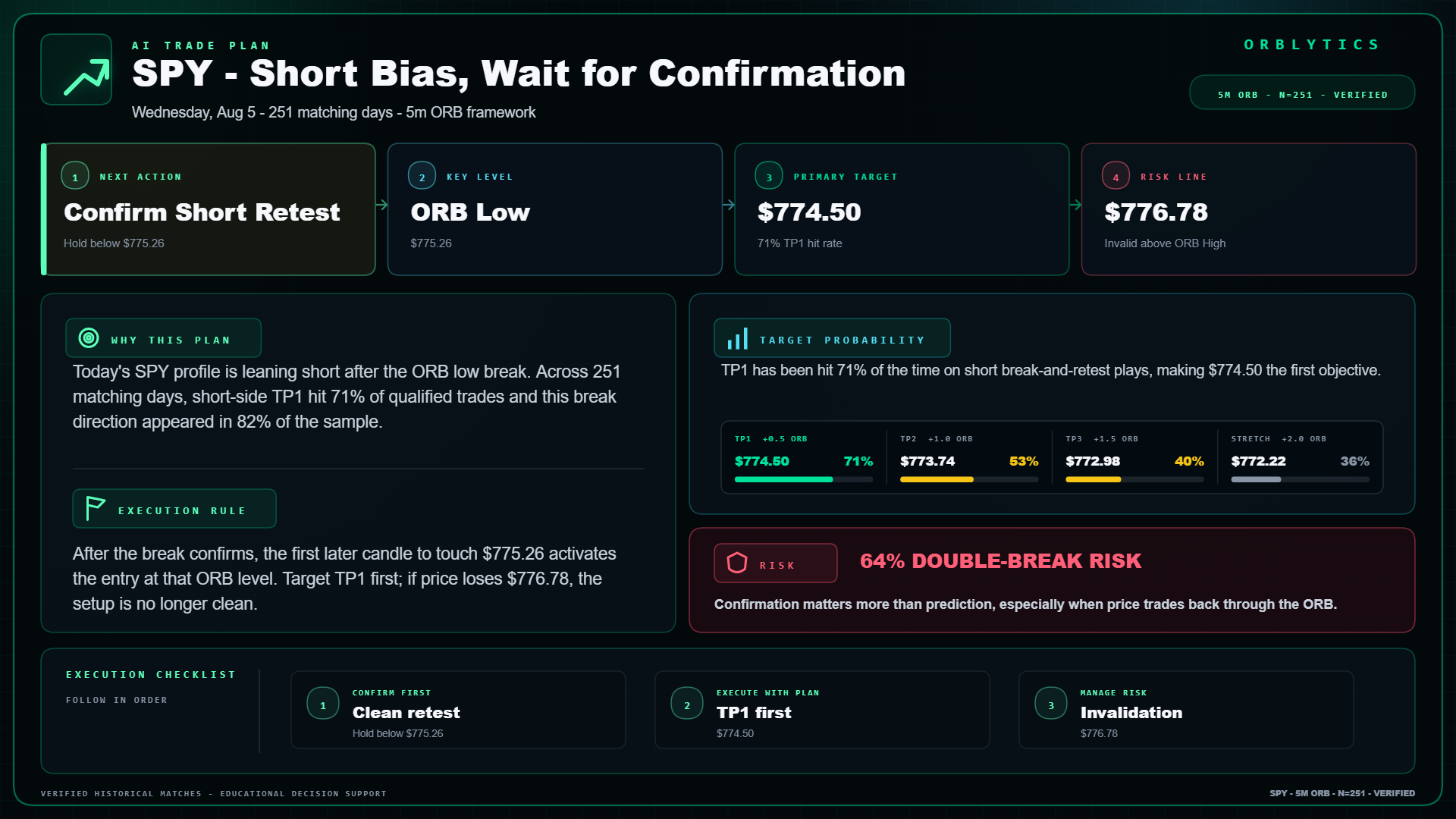
Keep the setup, key levels, target ladder, risk note, and execution checklist in one view.
The dashboard, similar-session history, and AI plan share the same selected ticker and strategy context.
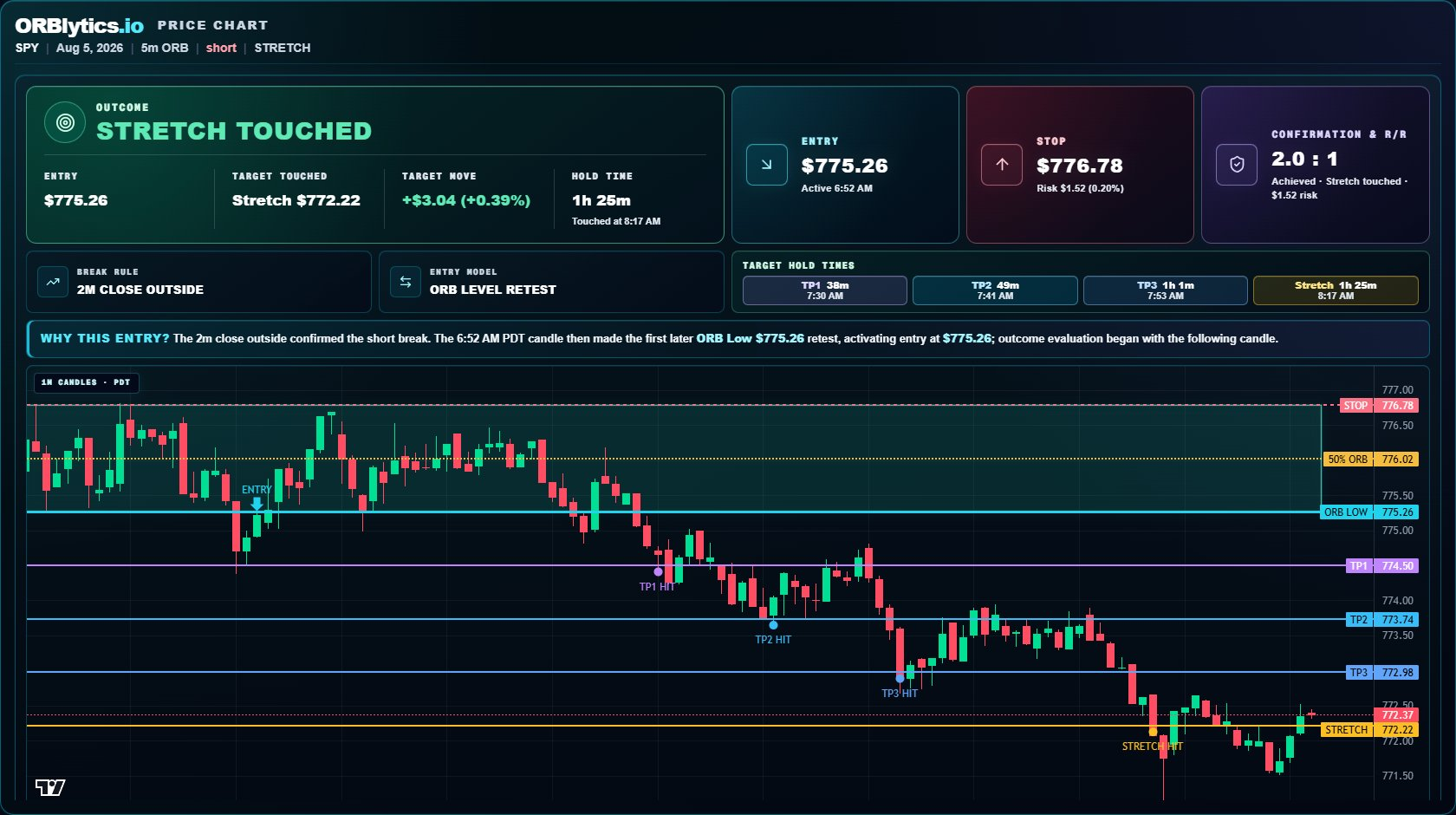
Keep ORB boundaries, confirmation state, invalidation, and the target ladder in one visual frame.
Inspect matched historical days, outcomes, target progression, and the denominator behind each displayed rate.
Summarize the action, key level, primary target, risk line, reference odds, and execution checklist without pretending the plan is a live signal.
Review long and short triggers, invalidation levels, targets, range context, and historical odds without rebuilding the setup by hand.
The dashboard and history sample remain tied to the selected confirmation, retest, stop, timing, range, and lookback settings.
Stored historical sessions are checked before analytics are published, with coverage and readiness states shown to the user.
ORBLYTICS helps organize research and planning. It does not send orders, connect to a broker, or guarantee a profitable outcome.
Clear answers about rules, coverage, historical evidence, and execution.
Review data sourcesNo. It provides analytics, planning, and historical context. Orders remain entirely with the user and their broker.
Yes. The workspace supports range, confirmation, retest, stop, time, range-size, late-break, and sample-window settings.
No. They describe a qualified historical sample and can change with the data, market regime, execution, and active rules.
The product is designed around supported liquid U.S. stocks and ETFs with certified stored history. Current coverage and feed limits are documented on the Data Sources page.
Compare the ORBLYTICS plan, review the methodology, or continue through the free learning center before deciding whether the workspace fits your process.